Skip to content
Steve's Outpost

Section 08 · PC Builds

Best Monitor Arms

Two numbers decide this and neither is the price: the stated weight range your monitor has to fall inside, and whether your desk can take the clamp.

By Stephen V.Updated How we pick
#ad

We earn a commission when you buy through our Amazon links, at no extra cost to you. It never changes the order of the picks, and we say so when the cheaper thing is the better buy. How this works.

A monitor arm is the rare desk purchase where the specification does all the work. Get the weight range and the mounting right and almost any arm in this list is fine. Get either wrong and the best arm on the market sags, drifts, or does not fit your desk at all.

Four checks, in order, before price enters the conversation.

1. Does your monitor have VESA holes?

A great many consumer monitors do not. The pattern is a square of four threaded holes on the back, typically 75 by 75 or 100 by 100 millimeters. If your monitor has none, an arm is not a purchase you can make without an adapter bracket, and adapters add their own weight and their own compromises.

2. Is your monitor inside the arm's stated weight range?

This is the number people read as a maximum when it is a range. An arm rated 4.4 to 19.8 pounds has a minimum for a reason: a gas spring set for a heavier load will push a light monitor upward and it will drift up on its own. Too heavy and it sags, and sag is the early symptom of a mount that eventually lets go.

Weigh the monitor without its stand. Manufacturer figures usually include the stand, which is often a third of the total.

3. Can your desk take the mount?

Two options on most arms. A C-clamp grips the desk edge and needs clear access underneath — a cable tray or a drawer in the wrong place rules it out. A grommet mount goes through a hole in the desk, which is stronger and requires either an existing hole or a willingness to drill one.

Both concentrate a great deal of leverage at one point. A thin, hollow-core or glass desk is a genuine constraint, and it is the reason the last product on this list exists at all.

4. Gas spring or mechanical?

A gas spring arm moves with one hand and stays where you put it — buy this if you have a standing desk or share the workstation. A mechanical arm holds position indefinitely with no pressure to lose, but you loosen a knob to move it. Mechanical is cheaper, and if the monitor is set once and never touched, that is a perfectly rational purchase.

What an arm is actually for

Two things, and it is worth being honest about which one you want. The ergonomic one: getting the top of the screen roughly at eye level, at arm's length, which a factory stand often cannot reach. And the practical one: recovering the desk area the stand's base was occupying, which on a small desk is a real amount of usable space.

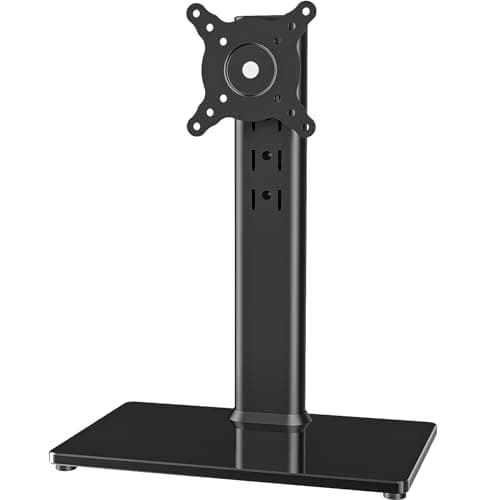
That second reason is why a free-standing weighted stand sits at the bottom of this list. It is a fine object. It just gives the desk space straight back.

The short answer

Quick picks

#ProductBest forScorePrice
01
HUANUO FlowLift Single Monitor Mount, 13-32 in
FlowLift Single Monitor Mount, 13-32 in

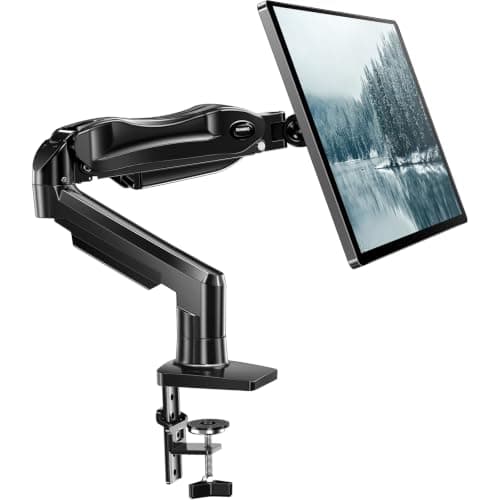
Gas spring, a stated 4.4 to 19.8 lb range, and both a clamp and a grommet base in the box — which covers nearly every desk and nearly every monitor under 32 inches.

Best overall single arm
8.6
$35.99Amazon (affiliate link)
02
Amazon Basics Gas Spring Single Monitor Arm Desk Mount
Gas Spring Single Monitor Arm Desk Mount

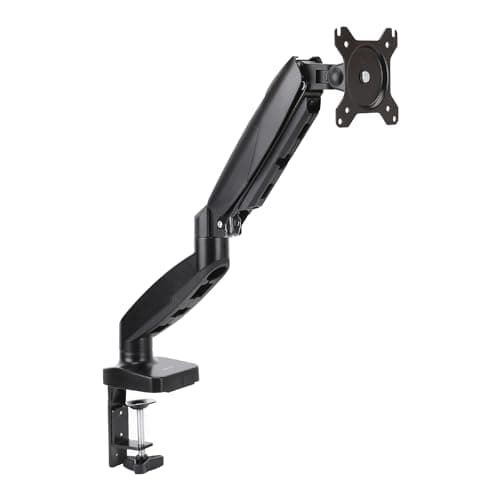
A stated 15 to 27 inch, 4.4 to 15.4 lb arm with adjustable tension and both VESA patterns — the honest floor for a gas-spring arm rather than a stiff mechanical one.

Best budget arm
8.0
$27.29Amazon (affiliate link)
03
HUANUO FlowLift Dual Monitor Stand, 13-32 in
FlowLift Dual Monitor Stand, 13-32 in

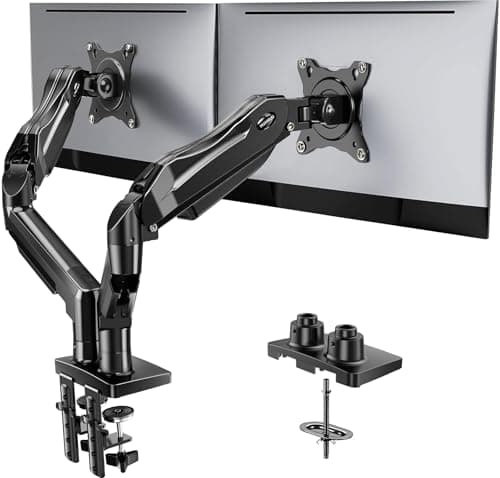
Two independent gas-spring arms rated at a stated 4.4 to 19.8 lb each, on one base — which is what you want if the two monitors are not the same monitor.

Best dual arm
8.0
$59.99Amazon (affiliate link)
04
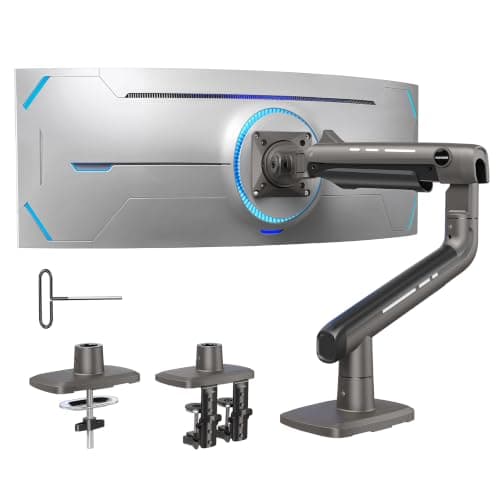
HUANUO TitanLift Heavy-Duty Monitor Arm, up to 49 in
TitanLift Heavy-Duty Monitor Arm, up to 49 in

A stated 44 lb capacity with a dual C-clamp, which is the specification that actually matters once the panel is 38 inches or wider.

Best for a big ultrawide
8.0
$97.99Amazon (affiliate link)
05
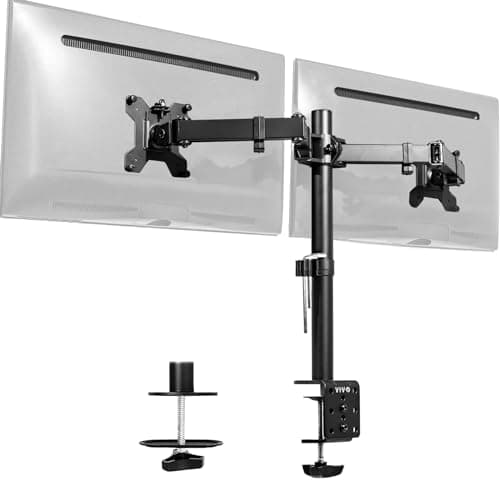
VIVO Dual Monitor Desk Mount (STAND-V002)
Dual Monitor Desk Mount (STAND-V002)

A stated 22 lb per screen up to 30 inches, with clamp and grommet mounting — a mechanical arm rather than gas spring, and priced accordingly.

Best budget dual
7.8
$34.99Amazon (affiliate link)
06
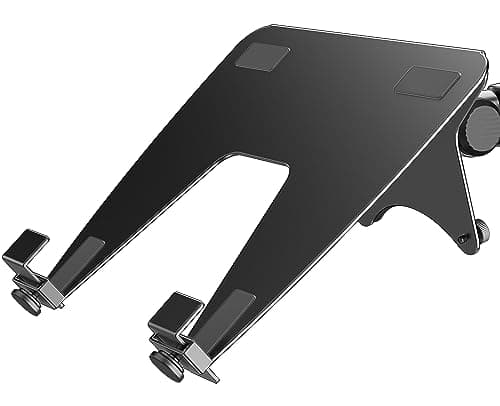
ergounion Laptop Tray for Monitor Arms, VESA 100x100
Laptop Tray for Monitor Arms, VESA 100x100

A VESA 100x100 tray rated to a stated 28.6 lb, so a laptop can hang off a spare arm at screen height instead of taking up half the desk.

Best laptop add-on
7.4
$29.99Amazon (affiliate link)
07
HT Free-Standing Monitor Desk Stand, 13-32 in (HT05B-001)
Free-Standing Monitor Desk Stand, 13-32 in (HT05B-001)

It is not a bad object. It is the wrong category: a weighted free-standing base takes back the desk space that buying an arm was supposed to recover.

Skip this one
6.0
$21.99Amazon (affiliate link)

#ad · Live prices from the Amazon Creators API, as of Sep 5, 2026. Where we have no verified live price we show none — a gap beats a number that has rotted.

In detail

The picks, in full

01
HUANUO FlowLift Single Monitor Mount, 13-32 in

Best overall single arm

FlowLift Single Monitor Mount, 13-32 in

Fits 13-32 in screens4.4-19.8 lb stated capacityGas spring height adjustmentClamp and grommet bases included
8.6/10

Gas spring, a stated 4.4 to 19.8 lb range, and both a clamp and a grommet base in the box — which covers nearly every desk and nearly every monitor under 32 inches.

Load capacity
8
Adjustment range
9
Stability
8
Install
9
Value
9

What's good

  • Gas spring means the monitor moves with one hand and stays where you leave it
  • Both mounting bases included, so the desk you have is almost certainly supported
  • Recovers the entire desk footprint the factory stand was occupying

What's not

  • The stated minimum weight matters as much as the maximum — a very light monitor will drift upward
  • Clamp mounts need a desk edge with clear access underneath
  • VESA holes are required; many consumer monitors do not have them

Skip it if…

your monitor is over 32 inches or over the stated weight limit. Arms fail by sagging first and dropping later, and both are the wrong way to find out.

$35.99See it on Amazon (affiliate link)

$47.9925% off

Price as of Sep 5, 2026. Prices move — Amazon's is the one that counts.

#ad · we may earn a commission from this link to FlowLift Single Monitor Mount, 13-32 in

02
Amazon Basics Gas Spring Single Monitor Arm Desk Mount

Best budget arm

Gas Spring Single Monitor Arm Desk Mount

Fits 15-27 in screens4.4-15.4 lb stated capacityAdjustable gas spring tensionVESA 75x75 and 100x100
8.0/10

A stated 15 to 27 inch, 4.4 to 15.4 lb arm with adjustable tension and both VESA patterns — the honest floor for a gas-spring arm rather than a stiff mechanical one.

Load capacity
6
Adjustment range
7
Stability
8
Install
9
Value
10

What's good

  • Gas spring at a price where most arms are still stiff mechanical joints you fight with
  • Adjustable tension lets you match the spring to the actual monitor weight
  • Both common VESA patterns supported

What's not

  • The 27 in and 15.4 lb ceilings rule out most large or heavy panels
  • Less reach and less vertical travel than the taller arms
  • Tension needs re-setting if you change monitors

Skip it if…

the monitor is 32 inches or a heavy panel. This is not the arm for it and no amount of tension adjustment changes that.

$27.29See it on Amazon (affiliate link)

$29.999% off

Price as of Sep 5, 2026. Prices move — Amazon's is the one that counts.

#ad · we may earn a commission from this link to Gas Spring Single Monitor Arm Desk Mount

03
HUANUO FlowLift Dual Monitor Stand, 13-32 in

Best dual arm

FlowLift Dual Monitor Stand, 13-32 in

Two arms, 13-32 in each4.4-19.8 lb stated per armFull-motion, VESA 75x75/100x100C-clamp and grommet base
8.0/10

Two independent gas-spring arms rated at a stated 4.4 to 19.8 lb each, on one base — which is what you want if the two monitors are not the same monitor.

Load capacity
8
Adjustment range
9
Stability
7
Install
7
Value
9

What's good

  • Independent arms let you run one screen portrait and one landscape at different heights
  • One base means one hole in the desk rather than two
  • Full motion on both arms, so the second screen can be angled in rather than sitting flat

What's not

  • All the weight lands on a single clamp point — a thin or hollow desk will flex
  • Two arms plus two monitors is a lot of leverage on a desk edge
  • Fiddlier to balance than a single arm; expect to revisit the tension

Skip it if…

your desk is thin, hollow-core or unsupported at the mounting point. Two monitors on one clamp is exactly the load that finds out.

$59.99See it on Amazon (affiliate link)

$69.9914% off

Price as of Sep 5, 2026. Prices move — Amazon's is the one that counts.

#ad · we may earn a commission from this link to FlowLift Dual Monitor Stand, 13-32 in

04
HUANUO TitanLift Heavy-Duty Monitor Arm, up to 49 in

Best for a big ultrawide

TitanLift Heavy-Duty Monitor Arm, up to 49 in

Screens up to 49 in44 lb stated capacityAluminum constructionDual C-clamp, VESA up to 100x100
8.0/10

A stated 44 lb capacity with a dual C-clamp, which is the specification that actually matters once the panel is 38 inches or wider.

Load capacity
10
Adjustment range
8
Stability
9
Install
7
Value
6

What's good

  • The stated capacity has real margin over any current ultrawide, which is what stops the slow sag
  • Dual clamp spreads the load across more desk instead of concentrating it at one point
  • Aluminum arm is stiffer than the steel-and-plastic budget designs at this size

What's not

  • Costs three times a standard single arm
  • Massively over-specified for a normal 27 inch monitor
  • Wide clamp footprint needs clear desk edge, which a cable tray can block

Skip it if…

your monitor is 32 inches or under. You are buying capacity you will never load, and the arm is bigger and heavier for it.

$97.99See it on Amazon (affiliate link)

$107.999% off

Price as of Sep 5, 2026. Prices move — Amazon's is the one that counts.

#ad · we may earn a commission from this link to TitanLift Heavy-Duty Monitor Arm, up to 49 in

05
VIVO Dual Monitor Desk Mount (STAND-V002)

Best budget dual

Dual Monitor Desk Mount (STAND-V002)

Two screens up to 30 in22 lb stated per screenSteel constructionC-clamp and grommet
7.8/10

A stated 22 lb per screen up to 30 inches, with clamp and grommet mounting — a mechanical arm rather than gas spring, and priced accordingly.

Load capacity
8
Adjustment range
6
Stability
8
Install
7
Value
10

What's good

  • Higher stated per-arm weight than several arms costing more
  • Mechanical joints hold position indefinitely — nothing to lose pressure over time
  • Long-standing model, which on desk hardware is a reasonable signal

What's not

  • Mechanical adjustment means loosening a knob to move a screen, not one-handed repositioning
  • Less refined motion than a gas spring, and you feel it every time
  • 30 in ceiling rules out larger panels

Skip it if…

you adjust monitor height often — standing desk, shared workstation, switching between sitting and standing. Buy gas spring for that.

$34.99See it on Amazon (affiliate link)

Price as of Sep 5, 2026. Prices move — Amazon's is the one that counts.

#ad · we may earn a commission from this link to Dual Monitor Desk Mount (STAND-V002)

06
ergounion Laptop Tray for Monitor Arms, VESA 100x100

Best laptop add-on

Laptop Tray for Monitor Arms, VESA 100x100

VESA 100x100 mountLaptops up to 17.3 in28.6 lb stated capacityVentilated tray
7.4/10

A VESA 100x100 tray rated to a stated 28.6 lb, so a laptop can hang off a spare arm at screen height instead of taking up half the desk.

Load capacity
8
Adjustment range
6
Stability
7
Install
8
Value
8

What's good

  • Puts a laptop screen at the same height as the monitor, which is the actual ergonomic problem
  • Frees the desk area a laptop and its stand were occupying
  • Ventilated so the laptop's underside intake is not sitting on a solid plate

What's not

  • Needs a spare arm, which is a second purchase if you do not have one
  • The tray plus laptop is heavy for a light-duty arm — check the arm's rating, not the tray's
  • 100x100 only, so a 75x75 arm needs an adapter

Skip it if…

your arm is at its weight limit already. The tray's own capacity is irrelevant if the arm cannot hold it.

$29.99See it on Amazon (affiliate link)

Price as of Sep 5, 2026. Prices move — Amazon's is the one that counts.

#ad · we may earn a commission from this link to Laptop Tray for Monitor Arms, VESA 100x100

07
HT Free-Standing Monitor Desk Stand, 13-32 in (HT05B-001)

Skip this one

Free-Standing Monitor Desk Stand, 13-32 in (HT05B-001)

13-32 in screensFree-standing weighted baseVESA mount plateSwivel, tilt and height adjustment
6.0/10

It is not a bad object. It is the wrong category: a weighted free-standing base takes back the desk space that buying an arm was supposed to recover.

Load capacity
5
Adjustment range
6
Stability
4
Install
8
Value
7

What's good

  • No clamping, so it works on glass, thin or delicate desks where a clamp cannot go
  • Moves without unmounting anything
  • Cheapest way to get a VESA monitor off its factory stand

What's not

  • The base occupies desk area, which defeats the main reason to buy a mount at all
  • A weighted base is less stable under a knock than a clamped arm
  • The headline capacity figure in the listing is far beyond what any 13-32 in monitor weighs, which tells you nothing useful

Skip it if…

the goal is desk space. Buy a clamp or grommet arm — that is the whole point of the category. This is only the right answer on a desk that cannot take a clamp.

$21.99See it on Amazon (affiliate link)

Price as of Sep 5, 2026. Prices move — Amazon's is the one that counts.

#ad · we may earn a commission from this link to Free-Standing Monitor Desk Stand, 13-32 in (HT05B-001)

Choosing between single, dual and heavy-duty

Single arm

The default, and the right answer for one monitor up to about 32 inches. Two independent single arms on separate clamps are often better than one dual arm, because the load is spread across two points on the desk instead of concentrated at one.

Dual arm

One base, two screens, one hole in the desk. Cleaner, and it is the correct choice if desk edge space is tight. Be honest about the load: two monitors on a single clamp is a lot of leverage, and a thin desk will flex visibly before anything fails.

Heavy-duty and ultrawide

Past about 34 inches, the ordinary arms run out. A 38 or 49 inch panel needs both the stated capacity and the structural stiffness, and this is where the aluminum arms with dual clamps justify their price. Under-specifying here does not fail immediately — it sags over weeks, which is worse, because you stop noticing.

Setting it up so it stays right

  • Set the tension with the monitor mounted. Every gas spring arm needs adjusting to the actual load. Out of the box it is set for something else.
  • Top of the screen roughly at eye level, tilted back a few degrees, at about arm's length. Then adjust from there — that is a starting point, not a rule.
  • Route the cables through the arm's channels while it is unloaded. Doing it afterwards means unmounting the monitor, and you will not bother.
  • Re-check the clamp after a week. Clamps settle into a desk surface, and a quarter turn at day seven prevents a slow lean.
  • Leave slack for full travel. A cable that is exactly long enough at the current height is a cable that unplugs itself the first time you stand up.
How these were picked

I haven't handled these. Here's what I did instead.

Everyone in this category says they tested twenty of these. I haven't tested any, and I say so. What I do instead: read the manufacturer's manual and published specification, compile the numbers that decide the purchase, do the arithmetic in the open, check the live price, and name one product to skip. The scores above are judgments from that research against a published rubric — they are not measurements I took, because I do not have a lab and I am not going to pretend otherwise.

Questions

Frequently asked

How do I know if my monitor will fit a monitor arm?
Check for VESA holes on the back — usually 75x75 or 100x100 mm — and weigh the monitor without its stand. It must fall inside the arm's stated weight range, not merely under the maximum.
What if my monitor has no VESA holes?
You need an adapter bracket that clamps the panel and presents a VESA pattern. They work, but they add weight and put the mounting load on the monitor's housing rather than on designed mounting points. Factor the adapter's weight into the arm's range.
C-clamp or grommet mount?
Grommet is stronger because the load goes through the desk rather than pinching its edge, but it needs a hole. C-clamp needs nothing but clear access under the desk edge, which a cable tray or drawer can block. Most arms include both.
Why does my monitor arm drift up on its own?
The gas spring tension is set for a heavier monitor than the one mounted. Every gas spring arm has a tension adjustment for exactly this — set it with the monitor attached, not before.
Can I put an ultrawide on a standard monitor arm?
Only if the panel is inside the arm's stated weight range and the arm states support for that screen size. Large panels have far more leverage on the mount, and an under-specified arm sags slowly rather than failing obviously.

Keep reading

Receipts

Sources

We do not run a testing lab and we do not pretend to. Where a measured number came from a manufacturer's published specification or someone else's lab, we name them and link them. Where we could not verify something, we say so on the page rather than quietly leaving it out. Read the full method.