We earn a commission when you buy through our Amazon links, at no extra cost to you. It never changes the order of the picks, and we say so when the cheaper thing is the better buy. How this works.
In May 2026 I built two computers in the same week. One is mine. The other I put together for a friend. They are, on paper, almost the same machine: same processor, same board, same memory, same cooler, same case, same power supply, same drive.
One line on the parts list is different. Mine has an MSI RTX 5070 Ti; his has an MSI RTX 5060 Ti. That single difference is worth more than several of the other parts combined, and building both side by side made the budget-allocation argument better than any spreadsheet I could have written. So that is what this page is about.
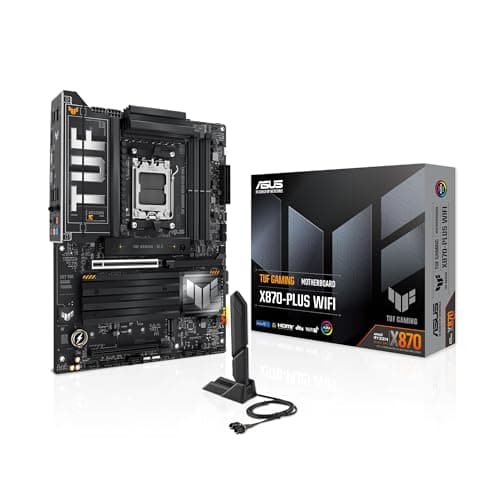
Board in, nothing else yet. The ASUS TUF X870-PLUS is mounted in the Lancool with the AM5 socket still bare and all four memory slots empty. The sealed Ryzen 9 box is leaning against the case; the yellow box behind it is the power supply.
The one decision that separated them
Both cards carry 16GB of memory, which is the number most buyers anchor on and the number that matters least between these two. The specification that actually separates them is the memory bus: 256-bit on the 5070 Ti, 128-bit on the 5060 Ti. That is the difference you feel as resolution goes up, and it is the reason the price gap exists.
So the honest version of the recommendation is not "buy the better card". It is a question about the monitor:
1080p. Buy the cheaper card. You will not see the difference, and the money is better spent on the monitor or on storage. This is not a close call.
1440p at ordinary refresh rates. Still the cheaper card for most people. 16GB of memory means textures are not what you compromise on.
High-refresh 1440p, ultrawide, or 4K. Now the wider bus earns its price, and this is the case where I would spend it.
My friend's machine is driving an ordinary monitor. His build is the better-allocated of the two, and it cost several hundred dollars less. Mine is the one with the indulgence in it. I am not going to pretend otherwise on my own site.
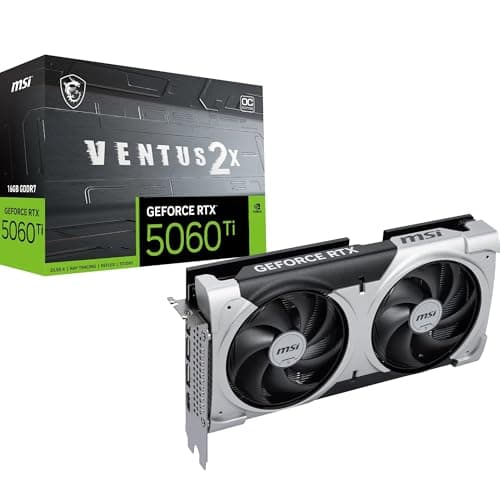
The second machine at the same stage, with the boxes that made it the cheaper build: the MSI GeForce RTX 5060 Ti alongside the same Ryzen 9 and the same Corsair RM1000e. Everything in this photo except the graphics card box is identical to mine.
The parts, and what I paid
These are historical figures from May 2026 — what I paid then, not what anything costs now. Today's live price is on the button beside each part further down this page, pulled from Amazon and stamped with the date it was checked. Do not plan a build from the column below.
Part
What I paid, May 2026
AMD Ryzen 9 9950X
$499.00
ASUS TUF Gaming X870-PLUS WiFi
$189.00
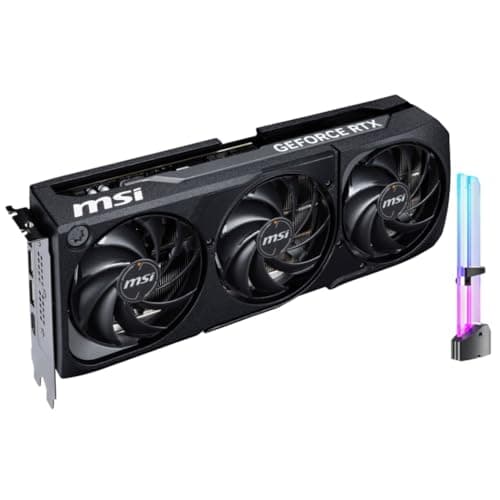
MSI RTX 5070 Ti 16G Shadow 3X OC
$989.99
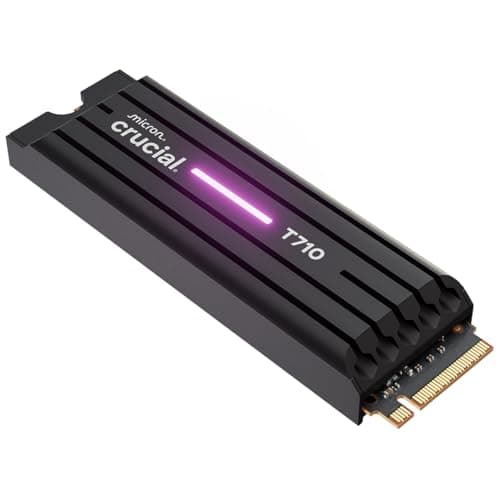
Crucial T710 1TB Gen5 NVMe
$226.54
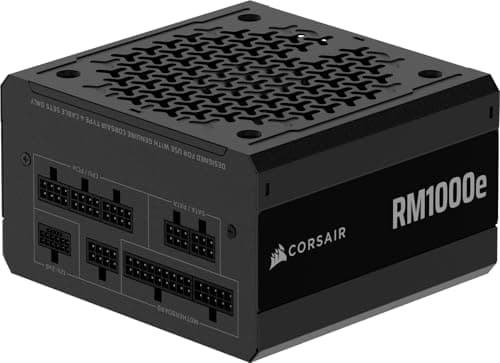
CORSAIR RM1000e (2025)
$147.77
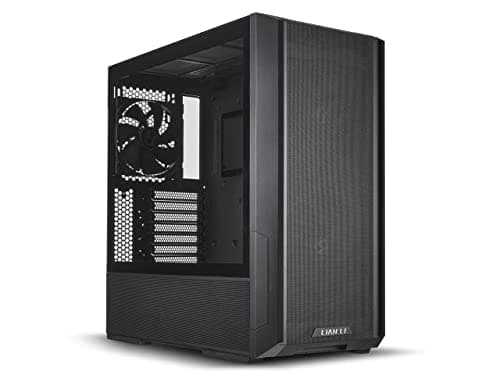
Lian Li LANCOOL 216-X
$98.99
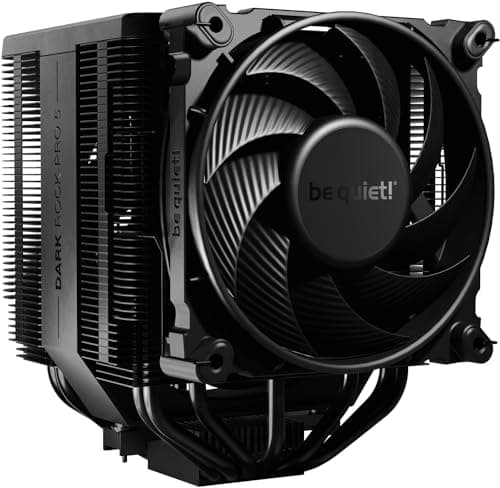
be quiet! Dark Rock Pro 5
$84.90
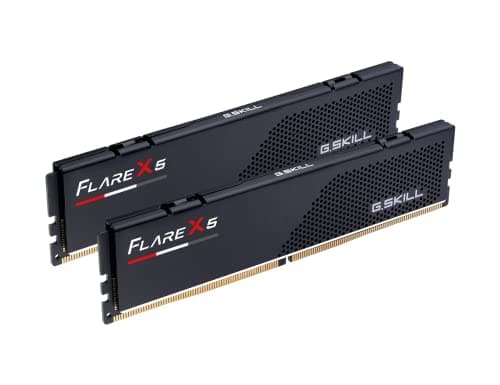
G.SKILL Flare X5 DDR5 32GB 6000 CL36
See the note below
That comes to roughly $2,240 before memory. I am leaving the memory out of that total deliberately, and the reason is worth reading if you are shopping: I bought the kit through a marketplace seller on an order line that covered both builds, so I cannot split it cleanly per machine — and the price I paid was well above what the same kit has been listing for. Marketplace memory pricing swings hard. Check the live price on the memory entry below before you assume my number is a benchmark. It is not; it is a mistake with a receipt.
Big air on a sixteen-core processor, on purpose
The obvious choice on a 9950X is a liquid cooler. I went the other way and put a dual-tower air cooler on it, and I would do it again.
The reasoning is the same one that runs through the garage section of this site. A closed-loop liquid cooler has a pump, coolant and tubing. Those are three components that can fail, and when the pump goes, it goes without warning. A tower of aluminum fins and two slow fans has nothing to fail. It will still be working when this processor is two generations old, and it will go straight onto whatever replaces it.
The second reason is noise, which was the actual design goal for this machine. Large fans turning slowly move the same air as small fans turning fast and make far less noise doing it. That is why the cooler and the case were chosen together: a big air cooler in a case with big front fans is a coherent quiet build. A big air cooler in a restrictive case is just a big air cooler.
The cost of that decision is height and weight. A dual-tower cooler is tall enough that case clearance is a real constraint, and once it is mounted it blocks convenient access to the top memory slots. Both of those are published numbers you can check in two minutes, and both of them are why the case was decided before the cooler was ordered.
The Dark Rock Pro 5 mounted. You can see how much of the board it covers — and both M.2 slots populated with Crucial T710 drives under their own heatsinks. The Lian Li logo at the left edge is the case's rear fan.
A thousand watts for a build that does not need one
The RM1000e is over-specified for this machine and that was the point. Three things follow from buying headroom rather than buying to the line:
Efficiency. Most supplies sit near their efficiency peak somewhere around half load. A 1000 W unit running a build that draws far less is living in the good part of its curve.
Noise. A supply that is not working hard does not need to spin its fan hard. On a build where quiet was the goal, that is not a small thing.
Transients. Modern graphics cards spike well above their rated draw for very short periods. Headroom is what absorbs that instead of tripping protection.
The other reason for this specific unit is the connector. It is ATX 3.1 with a native 12V-2x6 cable — no adapter between the supply and the graphics card. I have said elsewhere on this site that an added junction in a high-current path is where things fail, and I learned that wiring a truck, not a computer. It applies to both.
The dual-fan MSI card about to go in on the second build. The "be quiet!" badge on the cooler's fin cap and the two Crucial T710 heatsinks are both visible, and the case's large front fans are on the right. Sleeved power supply cables are already routed through the tray.
The Gen5 drive was the indulgence
I will be straight about this one. A PCIe Gen5 NVMe drive posts sequential numbers that are genuinely spectacular and that almost nothing on a desktop asks for. Games do not load meaningfully faster. The operating system does not boot in a way you can perceive. You see it on large file copies and essentially nowhere else.
If I were spending the same money again with a clear head, I would buy twice the capacity in a Gen4 drive and never think about it. Capacity is a thing you feel every week; sequential throughput is a thing you feel when you move a very large folder. I bought the fast one anyway, because I wanted it. That is a legitimate reason to buy something, and it is not the same thing as a recommendation.
EXPO: the mistake worth photographing
Here is the most useful thing on this page, and it is a screenshot of me getting something wrong.
On AM5, a DDR5 kit rated at 6000 does not run at 6000 out of the box. It boots at the JEDEC default, and you have to enable the EXPO profile in the BIOS to get the speed you paid for. Nothing warns you. The machine works perfectly. It is simply slower than the parts you bought, indefinitely, until you go and look.
The first-boot screen below is from my build. The memory reads 32768 MB (DDR5 4800MHz) and the EXPO dropdown reads Disabled. That is a 6000-rated kit running at 4800 because I had not turned the profile on yet.
First boot, before EXPO. The board reports the Ryzen 9 9950X, 32768 MB of DDR5 running at 4800 MHz, and EXPO set to Disabled. Storage shows two 1TB T710 drives in the M.2_1 and M.2_3 slots, and both memory sticks are in the A2 and B2 slots — which is the correct pair for a two-stick kit on this board.
Two other things that screen makes visible and that are worth copying. The memory is in A2 and B2, not A1 and B1 — on a two-stick kit that is the pairing the manual calls for, and getting it wrong costs you dual-channel operation. And the CPU is sitting at 39 degrees at idle with the board at 25, on air, which is the answer to whether a big air cooler is enough for sixteen cores.
What I would change
Buy capacity, not sequential speed. Two terabytes of Gen4 over one terabyte of Gen5, every time, unless you specifically move enormous files.
Buy the memory from a first-party listing. The marketplace order is the only line on this build where I paid an unreasonable amount, and it was avoidable.
Turn EXPO on before you install the operating system, not three days later when something makes you check.
The processor was more than a gaming machine needs. I use the cores, so I do not regret it — but if you are copying this build for games only, that is the line to cut before you cut the graphics card.
Two companion pages to this build log. How I plan a build is the method behind the parts list above — where the money goes first and why — and monitor arms covers the part of the desk that affects you daily and almost never makes it into a build budget.
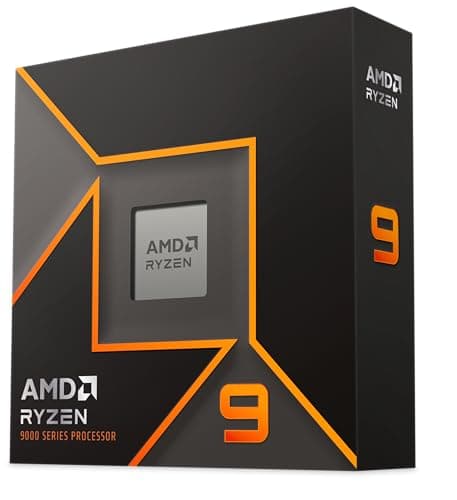
Sixteen cores on AM5, which is more processor than a gaming build needs and exactly right if the machine also compiles, renders or runs a dozen things at once.
Big air instead of a liquid cooler on a sixteen-core processor, on purpose. There is no pump to fail and nothing to leak, and it is the quietest part of the machine.
#ad · Live prices from the Amazon Creators API, as of October 19, 2026. Where we have no verified live price we show none — a gap beats a number that has rotted.
Sixteen cores on AM5, which is more processor than a gaming build needs and exactly right if the machine also compiles, renders or runs a dozen things at once.
Fit for the build
10
Build quality
9
Compatibility
9
Value
7
What's good
+Sixteen cores means the machine never feels busy — background work stops being something you wait for
+AM5 is a long-lived socket, so this board can take a later processor without a rebuild
+Unlocked, though I run it stock and have no plans to change that
What's not
−Genuinely more processor than a pure gaming build needs; the graphics card decides frame rate
−Sixteen cores under load is real heat, which is why the cooler choice mattered here
−Costs roughly what a mid-range graphics card costs
Skip it if…
…the machine is for gaming and nothing else. Put the difference into the graphics card — that is the part deciding your frame rate, and it is not close.
Four M.2 slots, PCIe 5.0, Wi-Fi 7 and USB4 without paying for the enthusiast tier — the slot count is what sold it and the slot count is what I used.
Fit for the build
9
Build quality
8
Compatibility
9
Value
8
What's good
+Four M.2 slots is the specification I actually shopped on, and it is why adding a second drive was a five-minute job
+USB4 at 40 Gbps on a mid-tier board means one fewer expansion card later
+Wi-Fi 7 included, so no add-in card competing for a slot
What's not
−Populating every M.2 slot can share bandwidth with other lanes — read the manual's slot table before you fill them
−Mid-tier VRM heatsinks; fine at stock, less headroom if you intend serious overclocking
−Ships with a BIOS that may predate your processor — check the version before you build
Skip it if…
…you only need one or two drives and no USB4. A B850 board does the same job for meaningfully less, and the money is better spent on the graphics card.
32GB (2x16GB) DDR5Up to 6000 MT/sCL36-36-36-96, 1.35VAMD EXPO and Intel XMP 3.0F5-6000J3636F16GX2-FX5
8.0/10
The exact kit I bought — 2x16GB rated 6000 with an AMD EXPO profile, which on AM5 is the sweet spot and the profile you have to remember to switch on.
Fit for the build
9
Build quality
8
Compatibility
9
Value
6
What's good
+6000 with an EXPO profile is the well-trodden AM5 configuration rather than a setting you have to tune yourself
+Two sticks rather than four, which is what AM5's memory controller prefers
+Low-profile heat spreaders cleared a very large air cooler without a fight
What's not
−It runs at the JEDEC default until you enable EXPO, and nothing warns you — see the first-boot photo on this page
−CL36 is a slower timing than the CL30 kits at the same 6000 speed
−I bought mine through a marketplace seller and paid well over the going rate; check the live price before assuming
Skip it if…
…you are buying four sticks or 64GB on AM5 without checking your board's qualified vendor list. Two-DIMM configurations are consistently the easier ones to run at rated speed.
The single most expensive decision in the build and the only meaningful difference between my machine and the one I built alongside it.
Fit for the build
9
Build quality
9
Compatibility
8
Value
6
What's good
+The 256-bit bus is the specification separating this tier from the one below it, and it shows at higher resolutions
+Triple-fan cooler runs quietly enough not to undo the point of a quiet build
+16GB of memory is enough that texture settings are not the first thing you turn down
What's not
−It cost more than the processor, motherboard, case, cooler and power supply combined
−Triple-fan cards are long — check your case clearance, which is why the case decision came first
−High draw on the 12V-2x6 connector: seat it fully and keep the bend away from the plug
Skip it if…
…your monitor is 1080p. The tier below saves a substantial amount of money and you will not see the difference at that resolution — which is the whole argument of this page.
The cheaper half of the one decision that separated the two builds — and for the monitor it is driving, the smarter money of the two.
Fit for the build
8
Build quality
8
Compatibility
9
Value
9
What's good
+Same 16GB of memory as the tier above, so texture settings are not the compromise
+Dual-fan card is shorter and easier to fit, and draws less power
+Saves enough against the tier above to fund most of the rest of a build
What's not
−128-bit memory bus rather than 256-bit, which is where the gap opens up at higher resolutions
−This card has no Amazon-fulfilled offer at the moment — the listing is live but the price you see comes from third-party sellers, so check it against a retailer before you commit
−Dual-fan coolers have less thermal headroom than triple-fan designs of the same tier
Skip it if…
…you are driving a high-refresh 1440p or an ultrawide monitor. That is where the wider bus on the tier above starts to earn its price.
Dual-tower air coolerSilent-optimized fansAM5 and Intel mountingHigh airflow
8.8/10
Big air instead of a liquid cooler on a sixteen-core processor, on purpose. There is no pump to fail and nothing to leak, and it is the quietest part of the machine.
Fit for the build
10
Build quality
9
Compatibility
7
Value
9
What's good
+No pump, no coolant, no tubing — the failure modes an AIO has, this does not have at all
+Genuinely quiet under sustained load, which was the whole point of the build
+It will outlive the processor and go straight onto the next one
What's not
−Very tall and very heavy — case clearance and memory clearance both have to be checked first
−Blocks easy access to the top memory slots once it is mounted
−An AIO would move the heat to a radiator and free up the space above the board
Skip it if…
…your case is under the cooler's height limit. That number is published by both the cooler and the case, it takes one minute to check, and it is not negotiable.
1 TBPCIe Gen5 NVMeUp to 14,900 MB/s stated readIntegrated heatsink
7.5/10
The indulgence of the build, and I will say so plainly: a Gen5 drive is not something you feel doing ordinary work.
Fit for the build
8
Build quality
9
Compatibility
8
Value
5
What's good
+The stated sequential figures are genuinely enormous, and on large file moves you do see it
+Heatsink version, because Gen5 drives run hot and thermal throttling is a real behavior
+M.2 2280, so it drops into any standard slot
What's not
−Costs a great deal more than a Gen4 drive for a difference most desktop use never reaches
−The heatsink can conflict with a motherboard's own M.2 cover — check before ordering
−1 TB fills up faster than you plan for; capacity would have been the better spend
Skip it if…
…you are choosing between this and more capacity. Two terabytes of Gen4 is the better buy for almost everyone, and I would tell you that even though I bought this.
These specific models will be a generation old before long. What transfers is the shape of the decisions: pick the graphics card from the monitor, put the savings into the parts that outlive the build, and choose the cooler and case as one decision rather than two.
The order the decisions actually happened in
Case first, in this build. That is unusual and it was deliberate: a large air cooler and a long graphics card both have clearance requirements, and the case is what satisfies or breaks them.
Cooler with the case. Big fans turning slowly in a case that lets air through is a quiet machine. Either half alone is not.
Graphics card from the monitor. The most expensive line, decided by the cheapest specification to look up.
Power supply with headroom and the right connector. Native 12V-2x6, no adapters.
Board for the slot count you will actually use. Four M.2 slots is why adding the second drive took five minutes.
Three checks before you order anything
Cooler height against case clearance. Both numbers are published. This is the one that ends in a return.
Graphics card length against case clearance. Same, and triple-fan cards are long.
Memory clearance under the cooler. Low-profile sticks cleared mine. Tall heat spreaders with RGB might not.
And on the first boot
Enable EXPO. Check the memory reports its rated speed. Confirm both sticks are in the slots the manual specifies, which on most two-stick AM5 boards is the second and fourth. Then install the operating system.
How these were picked
I haven't handled these. Here's what I did instead.
Everyone in this category says they tested twenty of these. I haven't tested any, and I say so. What I do instead: read the manufacturer's manual and published specification, compile the numbers that decide the purchase, do the arithmetic in the open, check the live price, and name one product to skip. The scores above are judgments from that research against a published rubric — they are not measurements I took, because I do not have a lab and I am not going to pretend otherwise.
Questions
Frequently asked
RTX 5070 Ti or RTX 5060 Ti — which should I buy?+
Decide from the monitor. At 1080p, and for most ordinary 1440p, buy the 5060 Ti — both carry 16GB, and the wider 256-bit bus on the 5070 Ti is what you are paying the difference for. At high-refresh 1440p, ultrawide or 4K, the wider bus starts to earn it. I built one of each and my friend's cheaper machine is the better-allocated of the two.
Why an air cooler instead of an AIO on a Ryzen 9 9950X?+
No pump, no coolant, no tubing — three failure modes removed. It is quieter under sustained load, and it will outlive the processor and move to the next one. The cost is height and weight, so check the case clearance first. My first-boot screen showed 39 degrees at idle on air.
Do I need a 1000 W power supply for this build?+
No, and I knew that buying it. The headroom keeps the unit near its efficiency peak, keeps its fan slow, and absorbs graphics card transients. A quality 750 or 850 W unit is the honest answer for most single-GPU builds — but buy one with a native 12V-2x6 connector rather than an adapter.
Why is my DDR5 running at 4800 instead of its rated speed?+
Because the EXPO profile is not enabled. A 6000-rated kit on AM5 boots at the JEDEC default until you switch EXPO on in the BIOS, and nothing tells you. My own first-boot screenshot on this page shows exactly that: 32768 MB at 4800 MHz with EXPO reading Disabled.
Was the Gen5 SSD worth it?+
Honestly, no. Games do not load meaningfully faster and the operating system does not boot perceptibly quicker; you see it on large file copies and almost nowhere else. Two terabytes of Gen4 would have been the better buy for the same money. I bought it because I wanted it, which is a real reason and not a recommendation.
Which memory slots should a two-stick kit go in?+
The pair the motherboard manual specifies, which on most AM5 boards is the second and fourth slots from the processor — A2 and B2. Mine are in A2 and B2 in the BIOS screenshot above. Using A1 and B1 instead can cost you dual-channel operation.
We do not run a testing lab and we do not pretend to. Where a measured number came from a manufacturer's published specification or someone else's lab, we name them and link them. Where we could not verify something, we say so on the page rather than quietly leaving it out. Read the full method.